
📸 At a glance
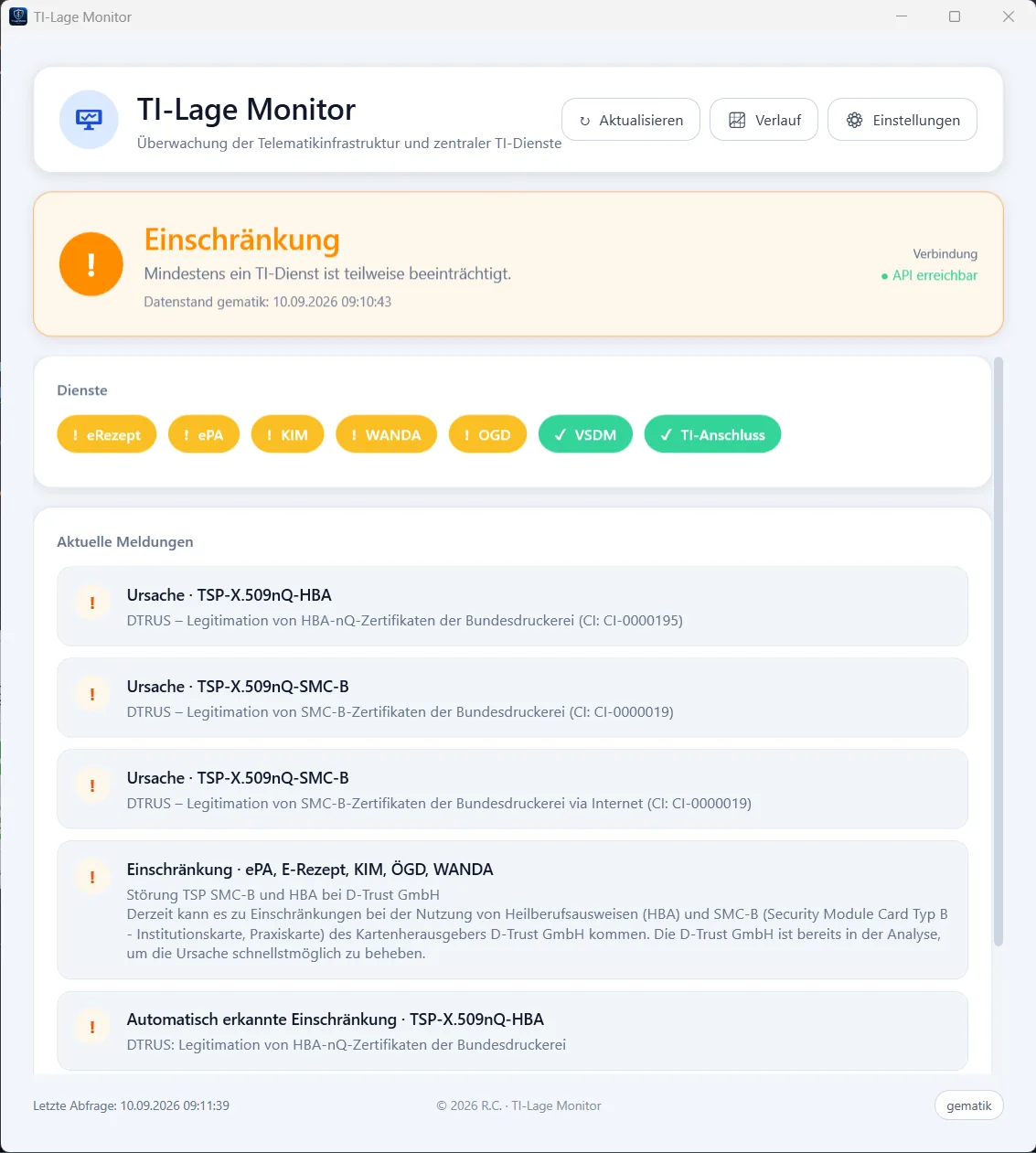
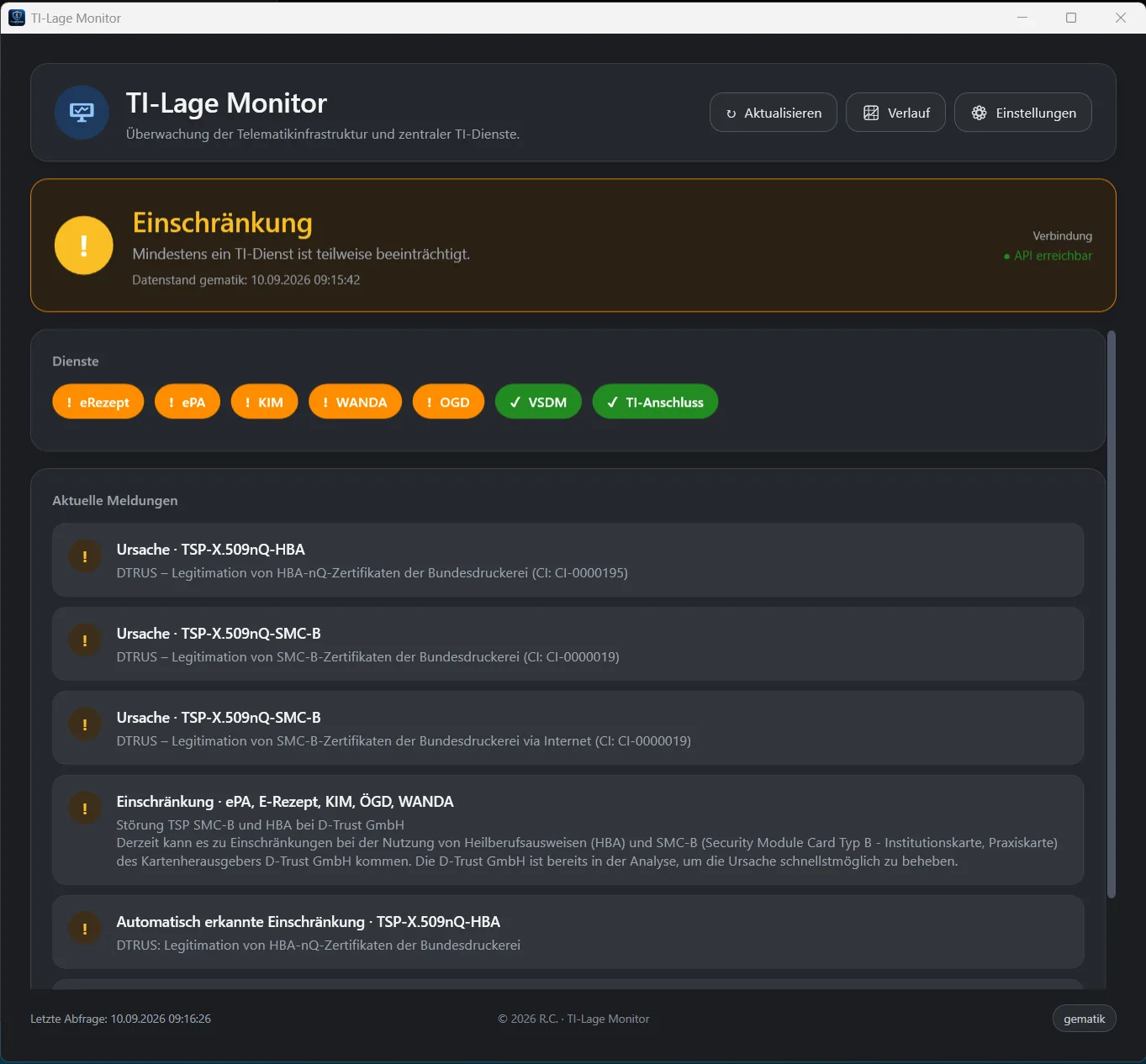
TI-Lage Monitor shows the current status of 7 TI services as a traffic light in the Windows notification area and in a Fluent-style main window – including messages, toast notifications and a calm 14-day history. Everything runs locally on Windows, without login and without a cloud. Closing (X) or minimizing sends the app to the tray and monitoring continues; only Exit quits the app.
💡 Why TI-Lage Monitor?
- Local & private – public gematik APIs, no account, no sync cloud
- Always in view – tray traffic light and toasts, without keeping a portal tab open
- 14-day history – overview, hours and events on one data basis
- Stays up to date – GitHub releases with SHA-256 verification and optional automatic installation
✨ Features
| Feature | What it does |
|---|---|
| 🛡️ Tray traffic light | Green / amber / red / no data in the notification area |
| 🔎 7 TI services | eRezept, ePA, KIM, WANDA, OGD, VSDM, TI-Anschluss |
| 🔔 Windows toasts | Clickable notifications that jump to the relevant context |
| 📈 14-day history | Overview · hours · events – KPIs, focus chips, timeline |
| ⬇️ GitHub updates | Check releases, verify SHA-256, optionally install silently |
| 🎨 Fluent UI | Light/dark mode, autostart, start directly into the tray |
| ⚙️ Notification filter | Per service and globally, controllable from the tray |
Status colors
| Status | Meaning |
|---|---|
| 🟢 Green | Monitored services available |
| 🟠 Amber | Restriction or partial outage |
| 🔴 Red | Full outage or critical disruption |
| ⚪ No data | API not reachable or not queried yet |
The app reads the situation (tilage v2), incidents (v1) and outages (v1) from ti-lage.prod.ccs.gematik.solutions. Requests follow the gematik refresh rhythm with an offset (:01, :06, :11, …). After three consecutive API errors the status switches to API down.
📋 Requirements
- Windows 10 or 11, x64
- Internet access to the public gematik TI status API
- No separate runtime needed – the offline installer ships .NET 10 and the Windows App SDK
🚀 Quick start
- Download the latest release (
TILageMonitor-*-Setup.exe). - Run the setup and complete the installation.
- Optional: configure autostart, theme and language under Settings.
🖱️ Usage
| Action | Effect |
|---|---|
| Left-click the tray icon | Show/hide the main window |
| Close (X) / minimize | Only to the tray – monitoring continues |
| Right-click → Notifications | Toasts on/off globally |
| Refresh | Reload the status immediately |
| History | 14-day history (maximized) |
| Settings | Theme, language, autostart, updates, filters |
| gematik | Open the Fachportal in the browser |
| Exit | Quit the app |
📈 14-day history
Three segments on the same data basis: Overview | Hours | Events. Since v2.x the history is a first-class feature with calm KPIs, a focus layout and clear timelines.
| Building block | Content |
|---|---|
| KPIs | Today · 14 days (days with issues) · availability % |
| Focus chips | All services or a single service – rows or large day tiles |
| Timeline | Cards with status bars; a click zooms into hours or highlights events |
| Sources | gematik incidents/outages (also while your PC was off) plus local snapshots (history.json) for online hours |
| Empty / OK | “All quiet” instead of empty lists; light/dark updates live |
| Tip | Effect |
|---|---|
| Filter chip | Narrow down rows and events |
| Day tile | Zoom into hours |
| Event / hour with issues | Zoom or switch to the Events segment |
| Esc / Back | Back to the day overview |
🔐 Data & privacy
- Only public gematik APIs – no login, no API key
- No cloud synchronization
- Data is stored locally under
%AppData%\TILageMonitor\ - Updates only from allow-listed GitHub hosts (
github.com,*.githubusercontent.com)
| File | Content |
|---|---|
settings.json | Theme, language, autostart, notification filter, updates |
last-lage.json | Offline cache of the last known status |
history.json | Hourly local supplement to the history |
The app queries these public API endpoints:
https://ti-lage.prod.ccs.gematik.solutions/lageapi/v2/tilage
https://ti-lage.prod.ccs.gematik.solutions/lageapi/v1/tistatus/incident
https://ti-lage.prod.ccs.gematik.solutions/lageapi/v1/tistatus/outage
🌐 Language
Under Settings → Language choose Automatic (Windows), German or English. The selection takes effect after restarting the app.
⚠️ Known limitations
- Windows x64 only (10 / 11)
- Unsigned EXE – possible SmartScreen warning
- The API covers disruptions for up to 14 days; complete OK availability needs local snapshots
- Complements the gematik Fachportal – it does not replace it
🗂️ For developers
Requirements: Windows 10/11 x64, the .NET 10 SDK and PowerShell 5.1+.
git clone https://github.com/jimmybonesde/TILageMonitor.git
cd TILageMonitor
.\Build.ps1
.\Install.ps1| Area | Files |
|---|---|
| UI & tray | MainWindow.*, App.xaml(.cs) |
| API & models | ApiClient.cs, Models.cs, TiStatusClassifier.cs |
| Persistence | *Store.cs, AtomicJsonStore.cs |
| History | HistoryWindow.*, HistoryTimelineBuilder.cs |
| Windows / system | SettingsWindow.*, AboutWindow.*, ToastService.cs, ThemeService.cs, AutostartService.cs, UpdateService.cs, LocalizationService.cs |
| Build / release | Build.ps1, Install.ps1, installer/, .github/workflows/ |
Stack: WPF with a WinForms tray icon · net10.0-windows · Windows App SDK toasts · Inno Setup · MIT License.
TI-Lage Monitor on GitHub
Downloads, release notes, source code and issues.